Hi,
I have turned on “Add Cash To Portfolio” via settings. How do I add my cash amount to my portfolio? Thank you.
Hi Dana,
-
You can click on the “Cash Transactions” on this page → https://stocks.cafe/portfolio
-
Then you can click on the “+ Add Cash Transaction” button.
-
Finally, you can “Deposit” money into the porfolio you wanted.
Cheers,
Evan
Thank you for the speedy response!
I realised its under https://stocks.cafe/portfolio/viewcashdetails?label_ids=0
1 Like
Hi Evan,
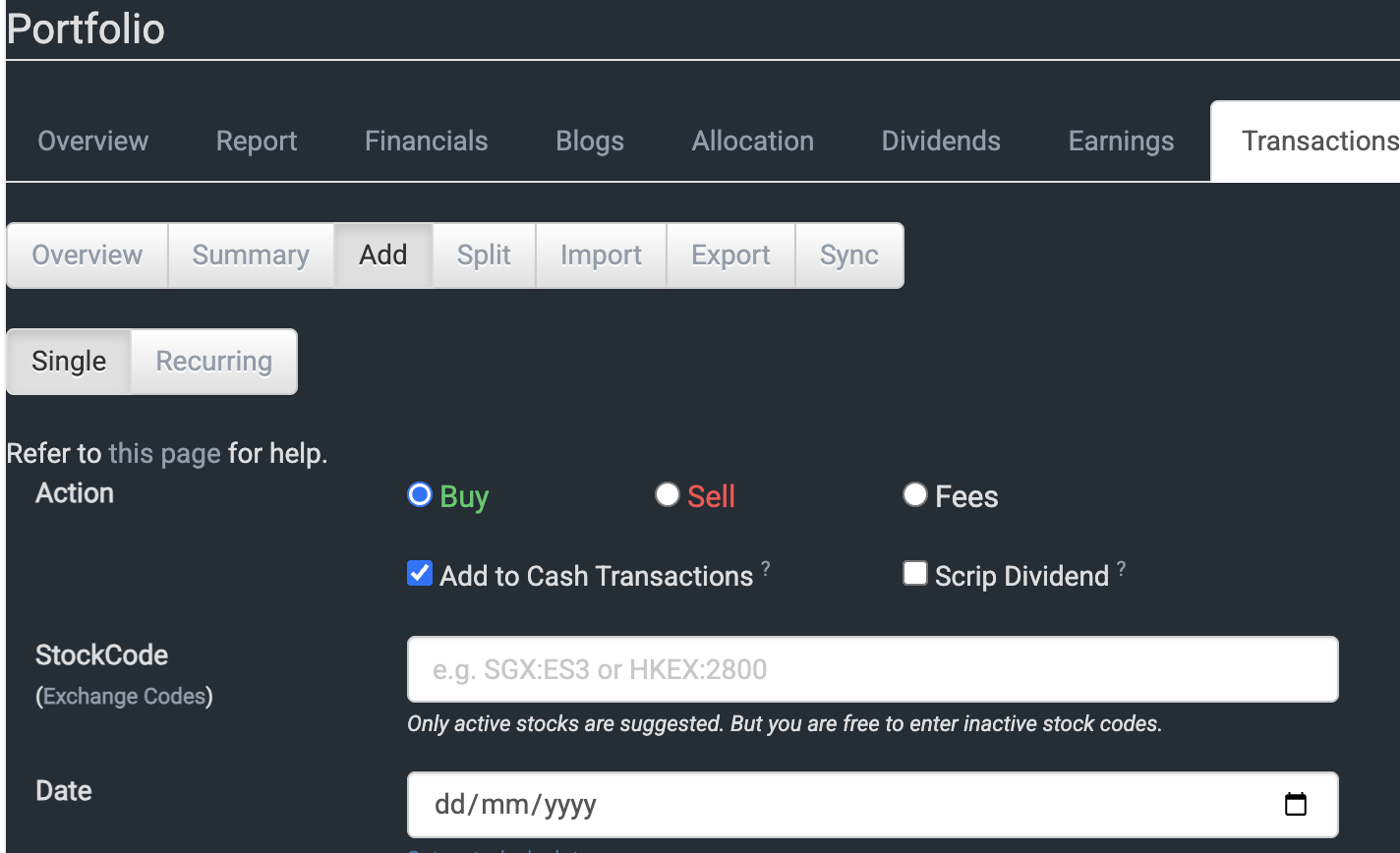
what about this button ‘add to cash transaction’ when i entering transactions done ( buy/sell) . what does it mean if i click Buy and have this indicated too? my guess if i add in my Sell transaction with this button included then the proceed will go to cash.
Hi there,
It will also create a cash transaction that will subtract cash from your cash balance
Yes, it will create a cash transaction that will add cash to your cash balance.
Cash balance is a feature for people to track the total amount of cash they have in that portfolio.
Cheers,
Evan
For the Buy checkbox, the key is avoiding double counting: if you enable it on a buy, StocksCafe creates the cash outflow for that purchase, so don’t also add a separate cash transaction for the same buy. On a sell, enable it when the proceeds remain in that portfolio’s cash balance; if you’ve already recorded the proceeds elsewhere, leave it off. In short, use it when you want the trade and cash movement linked in one entry.